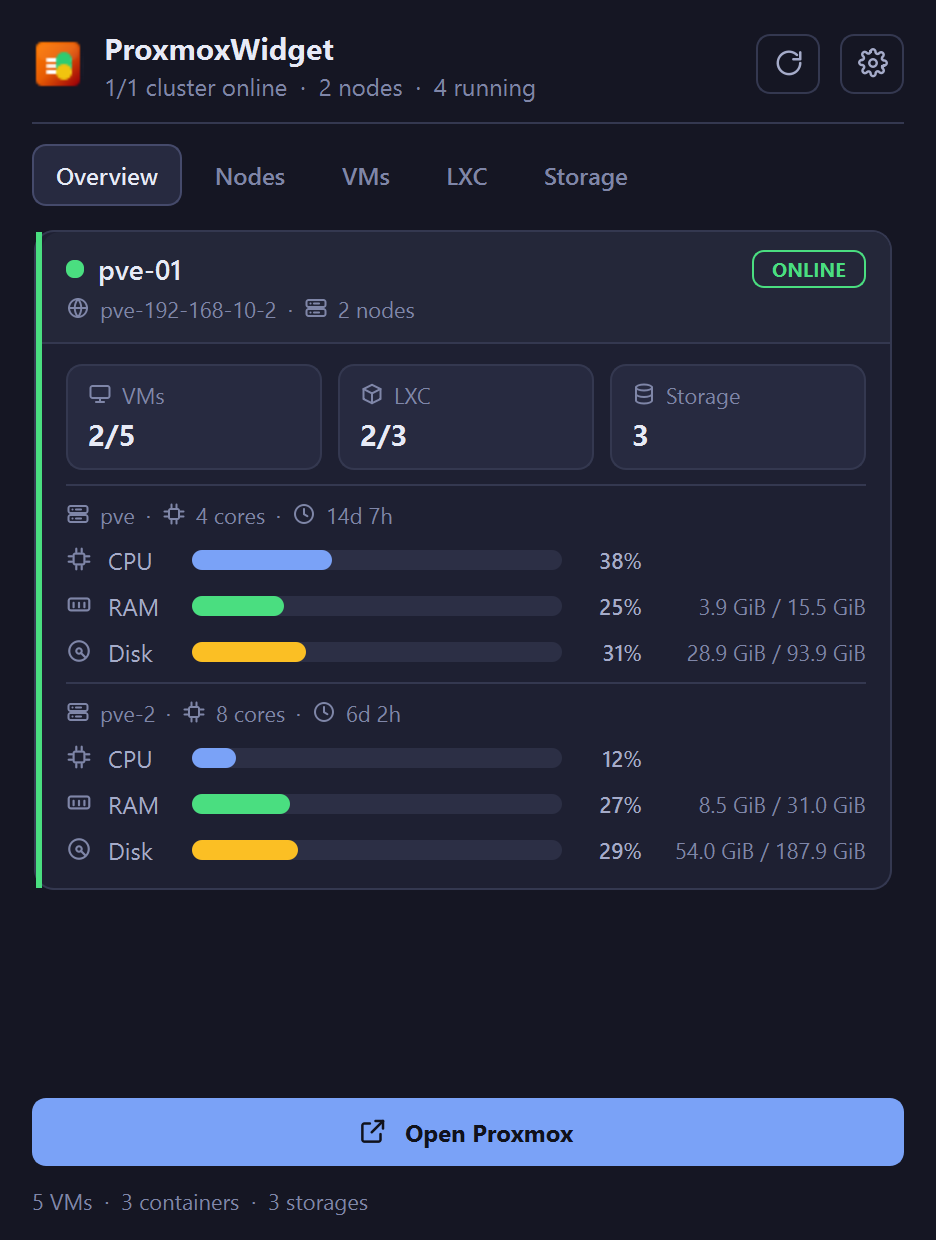
Shows CPU, memory and disk for every node, VM and container, refreshed on a timer you set.
Filters each tab as you type, by name, VMID, node or status.
Starts, stops and reboots guests, and waits until the guest actually reaches that state.
Opens a console in one click: noVNC for any guest, SPICE through remote-viewer, RDP to the address the guest agent reports.
Authenticates with an API token kept in your OS keyring. A read-only token is enough to monitor.
Handles several clusters at once and flags any that go offline.
Setup
Install it, or unzip the portable build anywhere. It starts in the tray.
In Proxmox, create an API token. PVEAuditor covers monitoring; add VM.PowerMgmt for the power buttons and VM.Console for SPICE.
Open Settings in the tray menu, add the host, port 8006, and the token ID and secret. Press Test to check it.
TLS verification is on by default; untick it for a self-signed host. Full token instructions are in the README.
Consoles
The Console button opens the Proxmox web console in your browser, and that page needs a web-UI login. API tokens cannot create a browser session, so log in to the web UI once and the console works for as long as that session lasts.
SPICE and RDP skip the browser. SPICE needs VM.Console on the token; RDP needs the QEMU guest agent running in the VM.
 ProxmoxWidget
GitHub
ProxmoxWidget
GitHub